AI & Developer Integrations
Spiky MCP
Connect Spiky to your AI agents
Connect Spiky to Claude, ChatGPT, and any AI assistant via the Model Context Protocol.
What is the Model Context Protocol (MCP)?
MCP (Model Context Protocol) is an open standard that lets AI assistants securely connect to external data sources and tools. With Spiky MCP, your assistant can retrieve real sales conversations and signals instead of guessing from generic knowledge.
Expose conversation data to AI agents
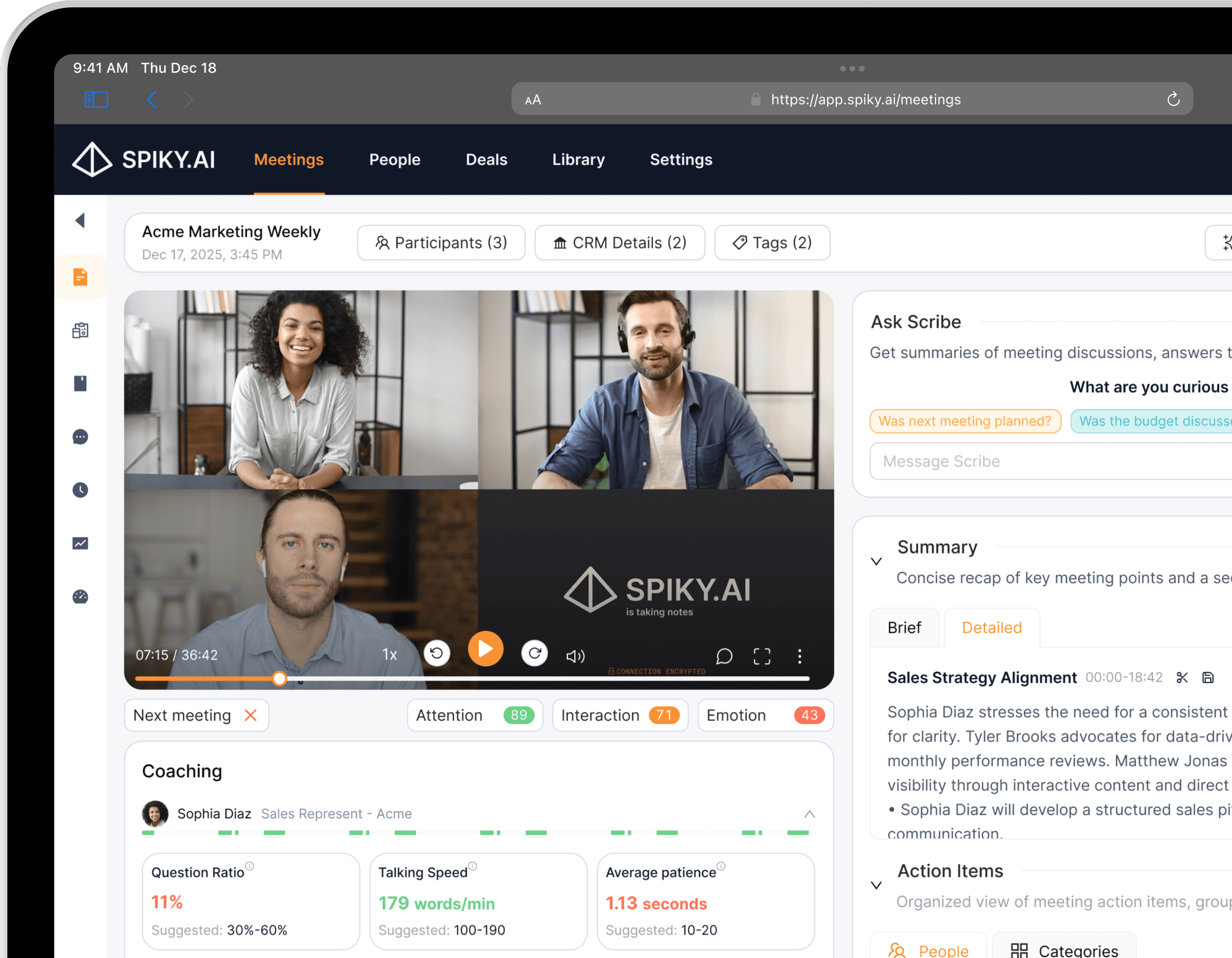
Spiky exposes meeting transcripts, summaries, and revenue signals through MCP so AI agents can read structured conversation context on demand.
Works with Claude, ChatGPT, and any MCP client
Connect Spiky to Claude, ChatGPT, or any MCP-compatible client and let your assistant answer questions grounded in your real sales conversations.
Query signals, not just transcripts
Beyond raw text, agents can pull Spiky Signals — objections, next steps, risk flags, and momentum — extracted by 20+ AI models.
Build custom AI workflows
Combine MCP with the Spiky API to trigger downstream automations from what was actually said on the call.
What you can ask Spiky
Once connected, just ask in plain language. Your assistant finds the right meetings, reads their summaries and transcripts, and reasons across your calls — no dashboards, no digging.
How to connect Spiky MCP
- 1
Enable MCP for your workspace
Spiky MCP is available on Business and Enterprise plans and is set up by a workspace admin. Reach out and we will provision MCP access for your team.
- 2
Add Spiky to your MCP client
Point your MCP-compatible client (such as Claude Desktop) at the Spiky MCP server using the credentials we provide.
- 3
Ask questions grounded in your calls
Your AI agent can now retrieve Spiky conversation data and signals to answer questions, draft follow-ups, and surface deal risks.
Secure by design
Spiky MCP is built for enterprise trust — your conversation data stays yours, and access is always scoped to the person asking.
Read-only by design
Spiky MCP finds and reads your meetings — transcripts, summaries, and signals — but never changes, deletes, or shares anything.
It acts as you
The assistant only retrieves meetings you already have access to in Spiky. It never sees more than you do, and it can never reach a teammate’s private meetings.
Never used for AI training
Your meeting data is returned to your own assistant at your request. Connector traffic is never used to train models.
Revoke access anytime
Disconnect from your assistant’s settings and access stops immediately. Access also follows your role and plan in real time.
Frequently asked questions
Which AI assistants does Spiky MCP work with?
Spiky MCP works with Claude (web, desktop, and Claude Code) and ChatGPT, plus any MCP-compatible client. Once connected, your assistant can read your Spiky meeting context on demand.
Is my meeting data used to train AI models?
No. The connector returns your meeting data to your own AI assistant at your request. Spiky does not use connector traffic to train models.
What can the assistant access?
It acts as you and is read-only. It can only find and read meetings you already have access to in Spiky — including their transcripts, summaries, and signals — and it can never reach a teammate’s private meetings.
Who can set up Spiky MCP?
Connecting requires a workspace admin, and MCP is available on Business and Enterprise plans. Once an admin connects, the assistant works within that admin’s access.
Can it change or delete my meetings?
No. Spiky MCP is read-only — it can find and read your meeting content, nothing more.
How do I disconnect?
Remove the Spiky connector from your assistant’s settings at any time. Access stops immediately.
Explore more integrations
Ready to get elevated?
Embark on your meeting optimization journey with Spiky today. Sign-up to empower your connections.
Try it for free